the usual neXt Lab · Physical connections
Tholus Hub
Your accessories. One connection to TholusOS.
Sensors and physical controls need a connection to the digital experience. Tholus Hub is the prototype that links them to TholusOS: USB to the Mac, radio to compatible accessories, and functions you choose in the app.
- To the Mac
- USB
- To accessories
- ESP-NOW
- Platform
- ESP32-S3
- SDK
- Apache-2.0
Tholus Hub
From physical objects to an experience.
A button, sensor or room control becomes useful when software knows what to do with it. Hub brings compatible accessories into a shared connection; in TholusOS, you choose which readings and actions to use. This is the foundation we are developing for interactions in immersive spaces and installations.
One connection point
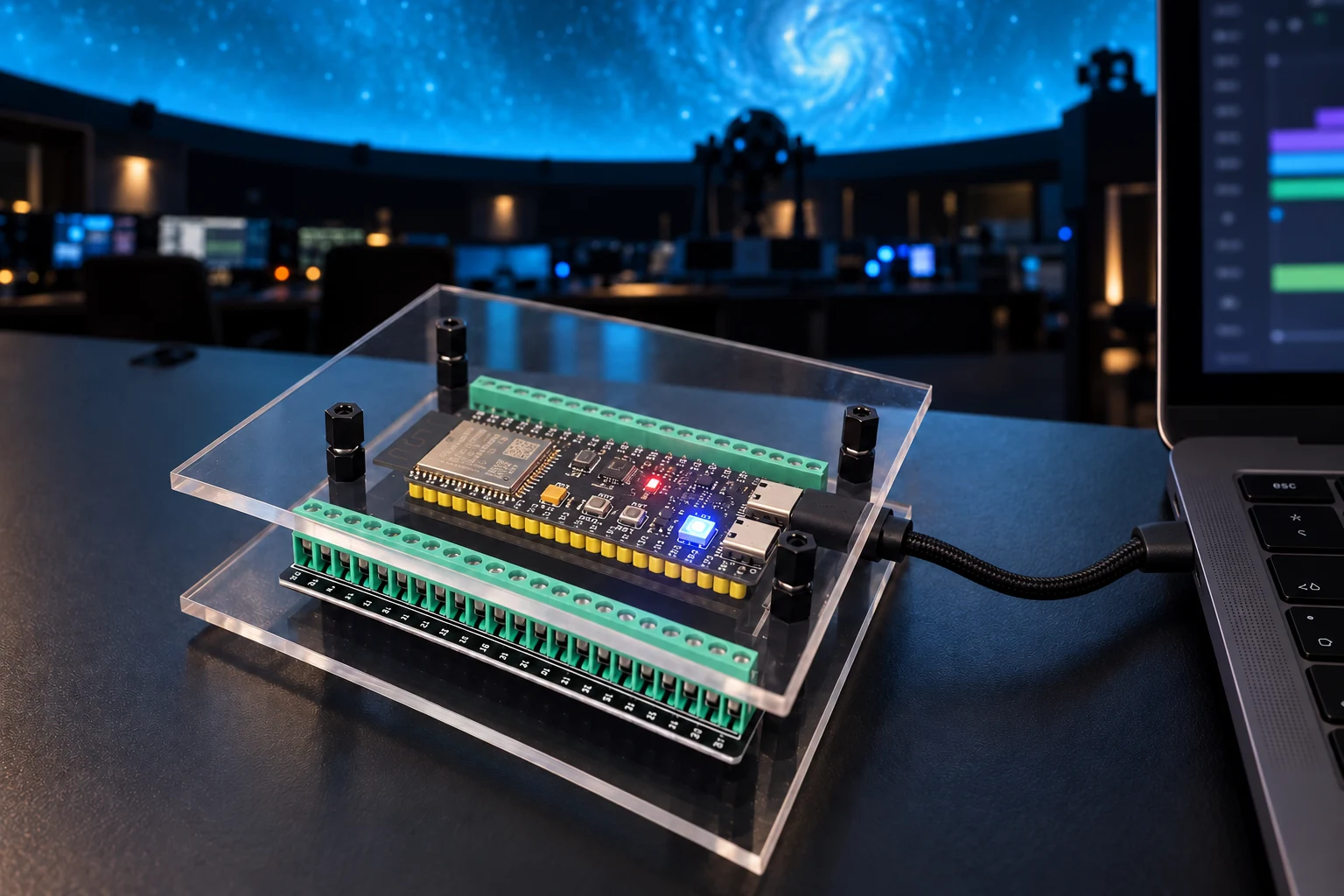
The Mac communicates with Hub over USB. Associated accessories use the ESP-NOW radio link.
Functions you control
Each accessory describes its functions. The app lets you enable the readings and controls your project needs.
Room for new ideas
The public SDK provides a starting point for developing accessories with standard or custom functions.
A connection you can follow.
Associated accessories exchange data with Hub over ESP-NOW. Hub carries that data to the Mac over USB, and TholusOS manages the enabled functions. The radio link between Hub and accessories is local and requires no connection to a Wi-Fi router.
The prototype, up close.
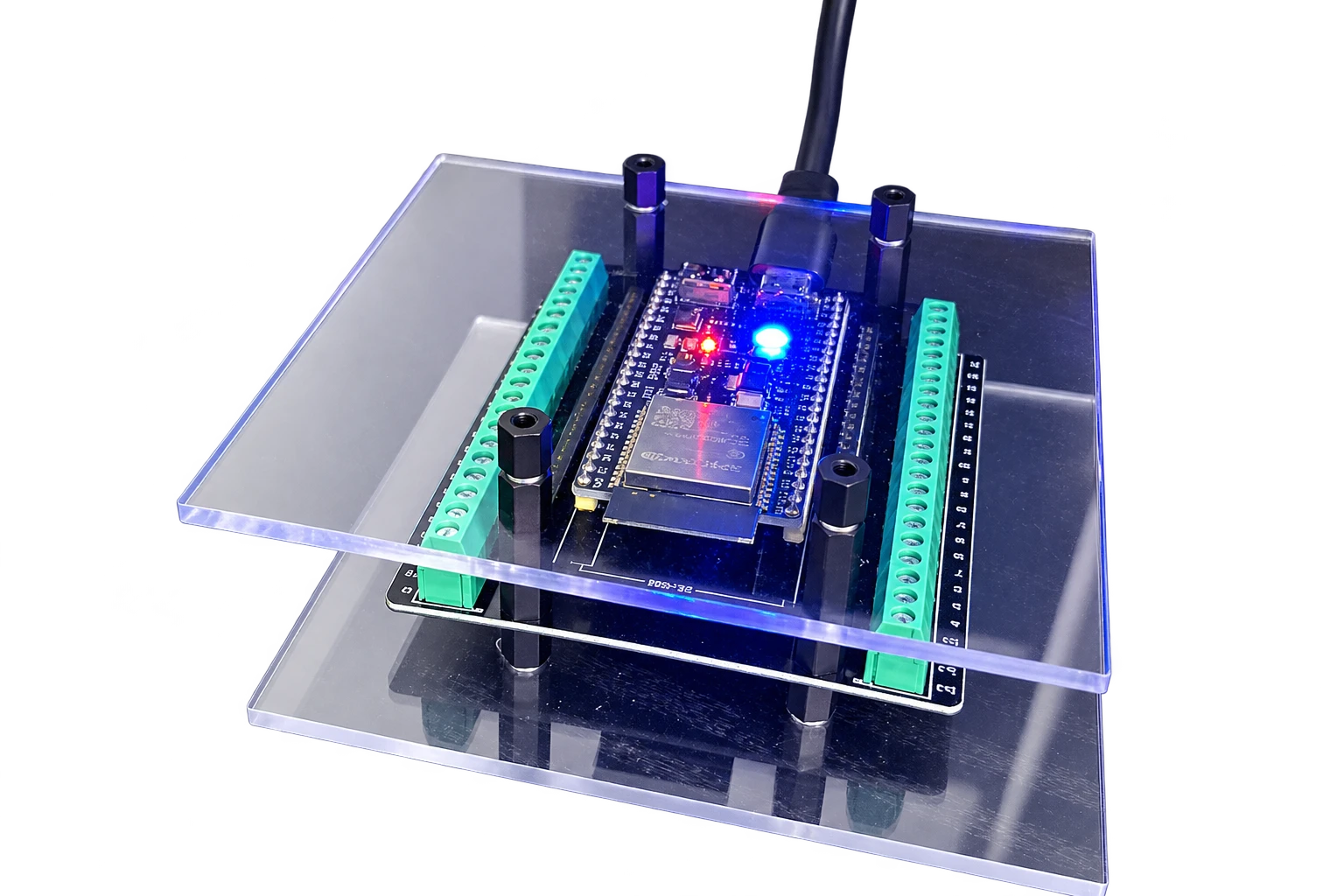
Two transparent plates reveal the board, spacers and screw terminals. The prototype’s ESP32-S3 N16R8 module has been identified on the physical device: 16 MiB of flash memory and 8 MiB of PSRAM.
Drag to rotate. Use the wheel, two fingers or buttons to zoom. Keyboard: arrow keys rotate, + and − zoom, Home restores the initial view, Esc closes the viewer.
| Component | Configuration |
|---|---|
| Module | ESP32-S3-WROOM-1 N16R8 |
| Flash memory | 16 MiB |
| PSRAM | 8 MiB |
| Mac connection | Native USB Serial/JTAG |
| Accessory connection | ESP-NOW with encrypted associations |
| Structure | Two transparent plates, spacers and accessible screw terminals |
From connection to functions.
The TholusOS workflow starts with USB, continues with accessory association and ends with choosing functions. An installation needs a Mac running TholusOS, a USB data cable and accessories with compatible firmware.
Connect Hub to the Mac
Use a USB data cable. In Accessories, select the detected device and allow its use on that Mac.
Associate an accessory
Follow the association workflow for the compatible device. Hub retains its associations with accessories.
Choose what it can do
Enable the readings and controls you need, then verify their behaviour in your space before using them with visitors.
Open to people who build.
Tholus Accessory SDK is available under the Apache-2.0 licence. It includes a C++ core, Arduino and ESP-IDF examples, a Swift package for macOS hosts and simulation tools. New accessories can reuse supported functions; new functions require an integration in the host.
Examples cover buttons, sensor values and custom functions. Source code, schemas and a getting started guide are available in the public repository.
From the Lab, with a clear status.
As of 23 October 2026, the prototype running candidate.5 firmware has passed startup, identification and USB reconnection checks. The SDK is public. Radio testing with accessories, simultaneous use of multiple devices, complete updates and fault recovery still need to be completed before field use.
Before you connect.
What is Tholus Hub for?
It is the connection point between compatible radio accessories and TholusOS on the Mac. Hub transports the data; in the app, you choose which readings and controls to enable.
Do the accessories need a Wi-Fi network?
The ESP-NOW link between Hub and associated accessories is local and does not require a Wi-Fi router. Hub connects to the Mac over USB. Any online TholusOS services have their own network requirements.
Which accessories can I connect?
Accessories need firmware compatible with Tholus Accessory SDK and functions supported by the host. The project includes software integrations for Tholus Flow and Tholus Wheel; radio testing with these devices is still to be completed.
Can I develop my own accessory?
Yes. The public Apache-2.0 SDK includes a C++ core, Arduino and ESP-IDF examples, a Swift package and simulation tools. You can reuse supported functions; new functions also need the corresponding host integration.
Is it ready for an installation open to visitors?
Tholus Hub is a Lab prototype. Startup and USB connection have been verified on the device. Radio, use with multiple accessories, updates and recovery require further field testing. Contact us to discuss a trial for your project.
Source code and references.
The repository documents the Tholus protocol and development tools. Espressif guides describe the platform and radio link.
What interaction would you bring to your space?
Tell us about the setting, the accessories you would like to use and what should happen in the experience. Together, we can assess compatibility, integration and the tests your project needs.