Analyze multiple sources
Video pages, HLS/M3U8 playlists, DASH streams, and direct files enter the same queue.

M3U8 Downloader
Mac · Free download · Video Downloader for MacPaste one or more links and choose a folder. The app analyzes video pages, HLS/M3U8 playlists, DASH streams, and direct files, shows the available resolutions, and can use an authorized browser session when needed. Videos download to your Mac with no cloud upload.
Version 2.1.2 (build 24), approximately 286 MB. Signed and notarized DMG. Requires a Mac with Apple Silicon and macOS 14 or later.
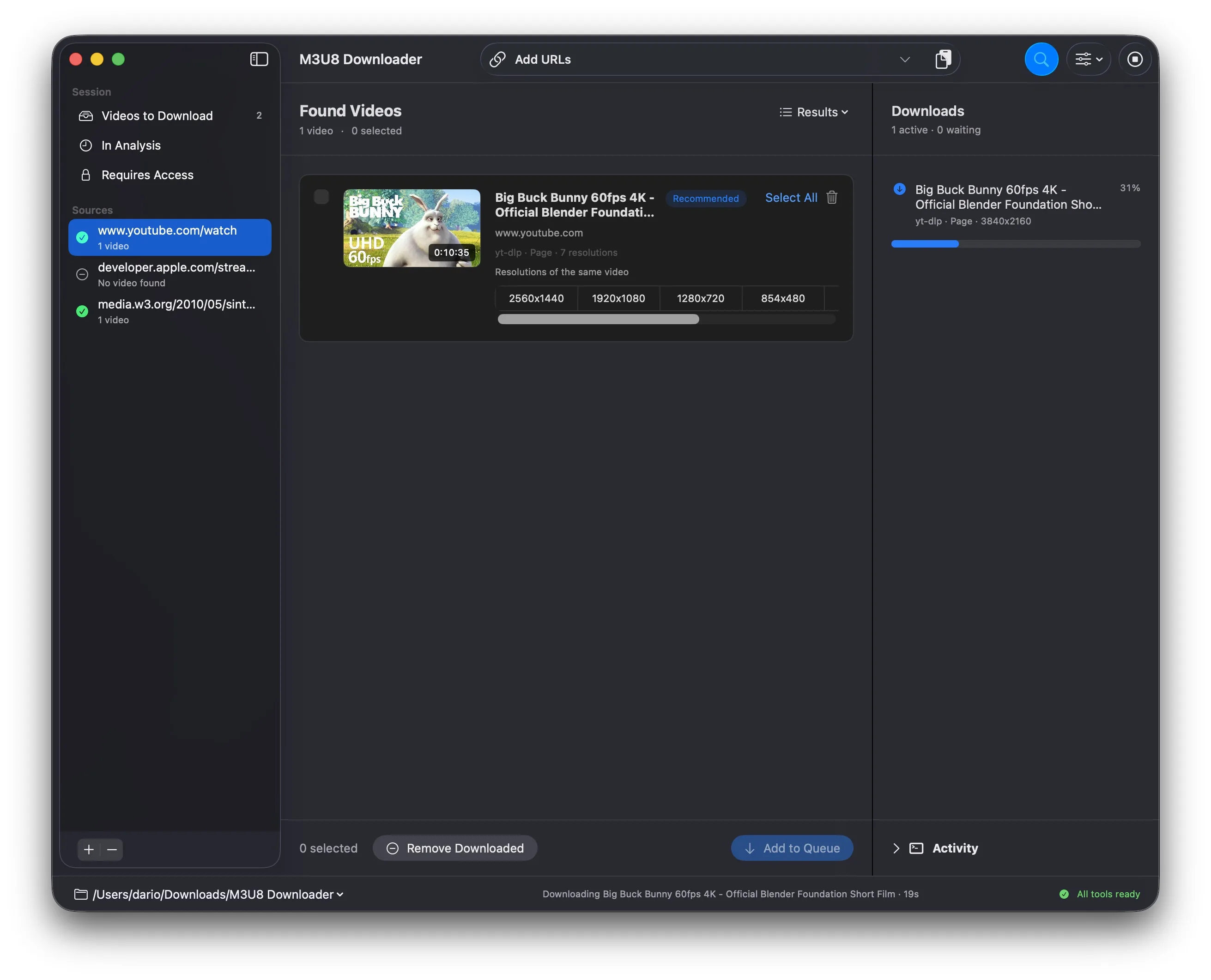
We had dozens of small apps, scripts, and shortcuts for downloading videos from our own sites and web projects. We got tired of that and built one proper Mac app. Then we decided to make it public, because the same problem is useful for other people too.
Video pages, HLS/M3U8 playlists, DASH streams, and direct files enter the same queue.
Resolutions of the same video are grouped, and the app identifies the recommended option.
Use browser cookies or authorize a session in the app for media you already have permission to access.
Add one or more HTTP or HTTPS addresses to the analysis queue.
Check the source, preview, and resolutions, then select which videos to queue.
Follow progress and status; when finished, reveal the file directly in Finder.
Paste URLs, choose qualities, and download. Under the hood, the app combines HTML analysis with rendering for dynamic pages, validates direct sources, groups variants of the same video, and selects the appropriate download method.
Queue, percentage, destination, errors, and outcome stay visible. You can reveal each completed file in Finder, while the activity log retains technical details.
Paste multiple URLs, review sources and qualities, then download only the selected videos. Separate analysis and download queues keep the workflow clear and organize local files by source page.
M3U8 Downloader 2.1.2 includes FFmpeg 9.0.1 built from the official source under LGPL 2.1 or later, with GPL and non-free components disabled.
Version 2.1.2 connects the Chrome Web Store extension to the signed local Native Messaging host.