Choose the projection
Convert equirectangular video to domemaster or fulldome, domemaster back to equirectangular, equirectangular to cubemap, or 360° footage to a flat rectilinear view.
VR Converter Studio
Mac · Free during beta · 360° and fulldome video reprojectionVR Converter Studio reprojects edited or stitched monoscopic video on Mac. It accepts rectilinear, equirectangular, 3×2 EAC and single-fisheye/domemaster sources; it exports rectilinear, equirectangular, domemaster, 3×2 cubemap or mirror-dome output. It includes dome preview, preflight, queue and local Syphon. Stitching, stereo, VR180 and MV-HEVC are not supported.
VR Converter Studio 0.9.4 (build 10) is a free public beta. It processes monoscopic video only; stereo, VR180, MV-HEVC and stitching are not included. Access requires your name, email, a one-time code and online validation at every launch. Requires macOS 14 or later.
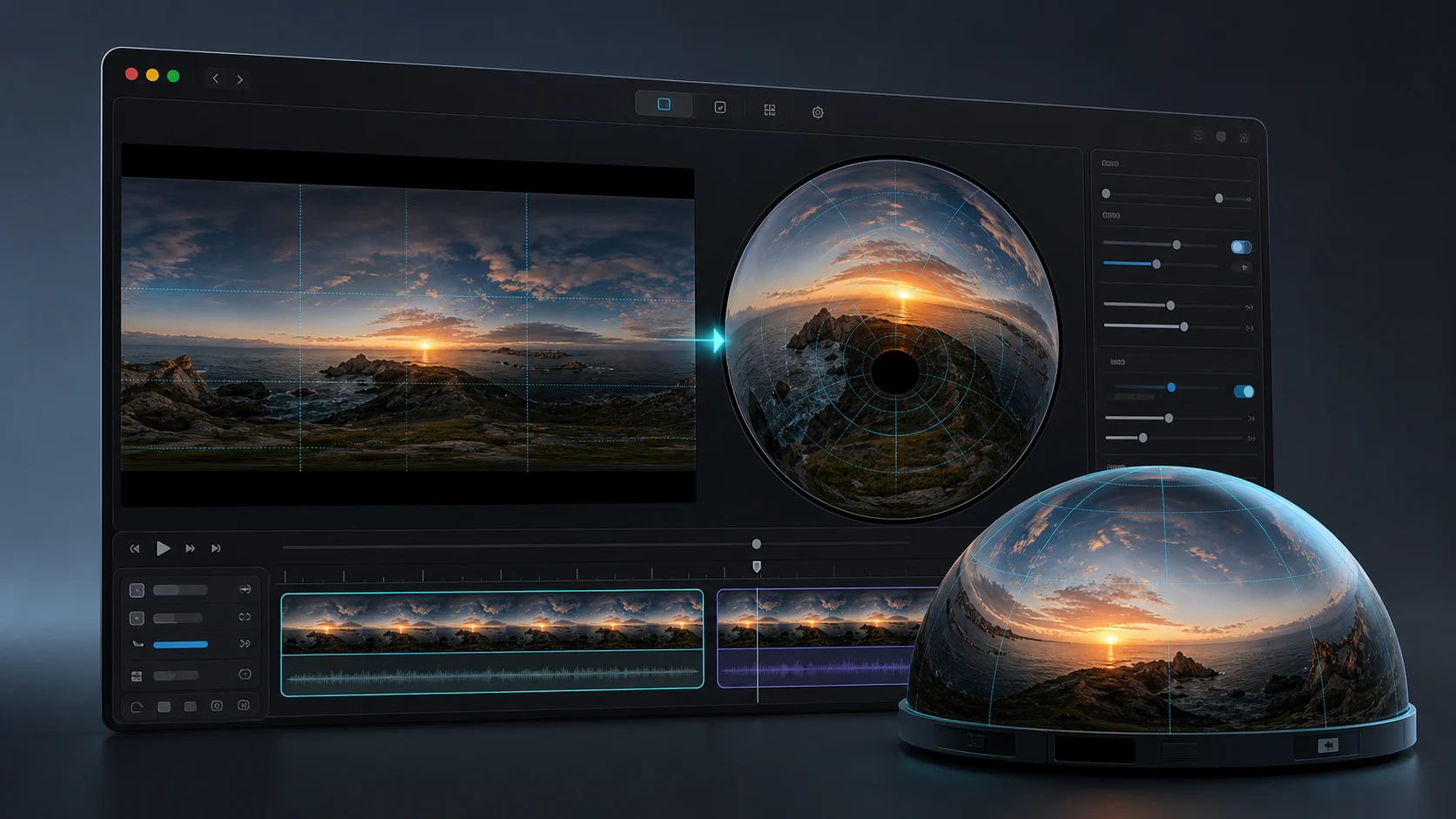
Once editing and stitching are complete, changing projection often means FFmpeg v360 commands, the After Effects VR Converter effect, or repeated test renders. VR Converter Studio puts source, target, FOV, orientation, preview and presets in a Mac GUI. It does not replace editing, compositing or stitching.
Convert equirectangular video to domemaster or fulldome, domemaster back to equirectangular, equirectangular to cubemap, or 360° footage to a flat rectilinear view.
Adjust field of view, yaw, pitch, roll and dome aperture while checking the result in a GPU-backed viewer.
YouTube 360, Meta Quest 3, fulldome and mirror-dome presets prefill export settings; final playback must still be tested on the target system.
This matrix describes public beta 0.9.4 (build 10), not theoretical compatibility among every format. It separates accepted sources, available exports, functions that are not implemented, and behavior that depends on the file, encoder or device. Combinations not listed here should not be treated as supported.
| Area | Input | Output | Unsupported | Verify |
|---|---|---|---|---|
| Projections | Rectilinear, 2:1 equirectangular, 3×2 EAC, single-fisheye/domemaster | Rectilinear, 2:1 equirectangular, domemaster, 3×2 cubemap, mirror dome | Cubemap and mirror dome as sources; EAC as output | EAC face orders other than the expected layout |
| Cubemap and fisheye | 3×2 EAC; single-fisheye/domemaster | Six-face 3×2 cubemap; domemaster and mirror dome | 6×1, 1×6 or separate-face cubemaps; dual-fisheye | Face orientation against the destination pipeline |
| FOV and orientation | Yaw and roll ±180°; pitch ±90° | Rectilinear FOV 1–178°; spherical/fisheye 1–360°; cubemap faces 90° | Adjustable cubemap face FOV | Extreme optics and partial domes |
| Sampling | Locally decoded video frames | Fixed linear GPU interpolation | Nearest, bicubic or Lanczos selection | Aliasing in fine grids and heavily compressed sources |
| Codecs and containers | MOV, MP4, M4V, MKV, WebM, AVI, HEVC; CRM after preliminary conversion | H.264 and HEVC 8/10-bit in MP4; HEVC Alpha and ProRes in MOV | Universal support for every codec carried by those containers | Decoding of each source file on the Mac used |
| Audio | First audio track | Stereo AAC, 48 kHz, 192 kb/s | Passthrough, multitrack, spatial or ambisonic audio preservation | Downmix from multichannel sources |
| Alpha, HDR and color | Rec.601, Rec.709 and Rec.2020 matrices when declared | Alpha with HEVC Alpha, ProRes 4444/4444 XQ or PNG mask; standard output tagged Rec.709 | Claims of HDR, HLG, PQ, Dolby Vision, ACES or OCIO preservation | Non-standard source profiles and metadata |
| Resolution | Depends on the Mac decoder, memory and GPU | Presets up to 8192×8192; custom values up to the 16384 px-per-axis application limit | A 16K guarantee on every codec or Mac | Effective limit with the selected encoder and hardware; Syphon up to 8192 px per axis |
| Detection | Aspect-ratio estimate: 2:1 equirectangular, 1:1 domemaster, 3:2 EAC | Manual correction among rectilinear, equirectangular, EAC and domemaster | Semantic detection of lenses, stitching, cubemap or proprietary metadata | Sources with an ambiguous aspect ratio |
| Stereo and stitching | Edited or stitched monoscopic video | Reprojected monoscopic video | Stereo, VR180, MV-HEVC/Apple Spatial Video, dual-fisheye, stitching and 2D-to-3D conversion | None: these functions are absent from the published beta |
Open local footage and let the app detect the most likely projection from the file.
Pick a delivery preset or set projection, resolution, codec and metadata yourself.
Check the frame, mark segments, export the queue, or send the transformed image to Syphon for live workflows.
Source and output remain distinct in every export. EAC is input-only; 3×2 cubemap and mirror dome are output-only. Adjust FOV, yaw, pitch and roll, then check resolution, codec and metadata before starting the queue. Syphon shares frames locally with other Mac apps, within the GPU and receiver limits.
Presets set projection, resolution and codec, but they do not certify playback on a service or device. Public beta 0.9.4 (build 10) has no published end-to-end matrix covering upload, model, operating system and player. Test the final file in the real destination environment and record the result before delivery.
| Destination | Preset configuration | Published verification | Status |
|---|---|---|---|
| YouTube 360 | 2:1 equirectangular, 7680×3840, H.264/MP4; spherical metadata when automatic injection is enabled | No versioned upload/player test is published | Verify before publishing |
| Meta Quest 3 | 2:1 equirectangular, 5760×2880, HEVC Main10/MP4 | Model, OS version and player are not recorded | Verify on the target device |
| Fulldome | Square 1K, 2K, 4K or 8K domemaster; selectable codec | No published matrix for media server, projector or venue | Verify on the installation |
| Local Syphon | Local GPU frames up to 8192 px per axis, within the device limit | Output path is implemented; receiver, version and resolution are not certified | Verify the sender/receiver pair |
The viewer is built for projection work, not only playback. Check a flat frame, a 360 view, a dome simulation or a mirror dome target before spending time on the final export.
VR Converter Studio does not replace FFmpeg, After Effects or DaVinci Resolve. It shortens the path when monoscopic video is already edited and stitched: source, target, orientation, dome preview, preflight, queue and Syphon output stay in one Mac workflow. The right choice depends on the required task, not on an absolute ranking.
| Tool | Documented scope | Best fit | Relationship to VR Converter Studio |
|---|---|---|---|
| VR Converter Studio | Monoscopic reprojection on Mac with dome preview, preflight, queue and Syphon | The video is already edited and stitched and needs a projection output | Dedicated workflow; narrower than NLEs and CLI tools |
| FFmpeg v360 | CLI filter with many projections, FOV/orientation controls and multiple interpolations | Automation, reproducible scripts and advanced combinations | The beta exposes a smaller GUI subset with fixed linear interpolation |
| Adobe VR Converter | After Effects conversion effect for VR layouts, cubemaps and compositing | Reprojection is part of a compositing project | The beta does not replace After Effects, its layouts or stereo tools |
| DaVinci Resolve 21 | Editing, color, audio and immersive VR180/VR360 workflows | End-to-end post-production is required | The beta is limited to reprojection, dome delivery and Syphon |
| Syphon | Mac technology for sharing real-time GPU frames between apps | One app must receive another app’s local video output | A complementary technology, not a converter or editor |
Terminology follows the FFmpeg v360, Adobe VR Converter and Syphon documentation, together with fulldome delivery specifications. Apple defines Spatial Video separately as stereoscopic MV-HEVC with spatial metadata. The monoscopic beta is therefore described as an immersive projection converter, not as a spatial video converter.
No. The app starts with footage that has already been edited or stitched. It does not combine lens captures or replace proprietary software from Insta360, GoPro, Ricoh or another camera manufacturer.
No. The public beta processes monoscopic video only and does not create stereoscopic MV-HEVC, stereo VR180 or 2D-to-3D conversions.
It covers common reprojection tasks through a Mac GUI with preview, preflight, presets and a queue. It does not replace the full FFmpeg command line or the editing and compositing tools in After Effects.
Inputs are rectilinear, 2:1 equirectangular, 3×2 EAC and single-fisheye/domemaster. Outputs are rectilinear, equirectangular, domemaster, 3×2 cubemap and mirror dome. Cubemap and mirror dome are not inputs; EAC is not an output.
No. They prefill resolution, codec and projection, but beta 0.9.4 (build 10) has no published versioned matrix covering upload, device model, operating system and player. Test the final file on the real destination.
It shares transformed frames locally on the Mac with compatible applications for preview, shows and projection. It does not upload the video or stream it to a remote server.
VR Converter Studio is for the moment when the content is ready, but the output format is not. Open the file, choose the target, preview the result and export without losing an afternoon to projection settings.